
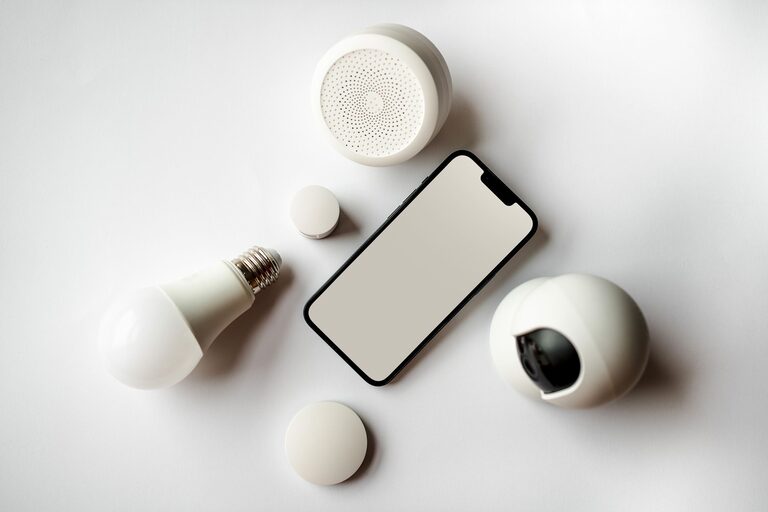
Smart home technology does not have to mean rewiring your house, learning complex software, or managing dozens of settings. Many devices are designed for simple installation and can improve daily routines within minutes. Whether you want easier lighting, more convenient control of appliances, or extra peace of mind, there are practical options for nearly every home.
The best beginner-friendly devices usually share three features: they are easy to install, work with common Wi-Fi networks, and provide useful benefits without requiring a complete smart home system. Here are some of the most convenient choices to consider.
Smart Bulbs for Easy Lighting Control
Smart bulbs are among the simplest ways to begin building a connected home. They fit into many standard light fixtures and can usually be set up through a phone app. Once connected, you can turn lights on or off, adjust brightness, and sometimes change color from your phone or with a voice command.
Smart bulbs can also support simple schedules. For example, porch lights can turn on around sunset, while bedroom lights can gradually become brighter in the morning. These routines can make a home feel more comfortable without requiring much effort.
Why Smart Bulbs Are Beginner Friendly
- They do not usually require special wiring.
- Installation often takes only a few minutes.
- You can control individual bulbs or group several together.
- Schedules can reduce the need to adjust lights manually.
For the easiest setup, look for bulbs that connect directly to Wi-Fi or use a standard connection supported by your existing smart speaker. It is also helpful to check whether the bulb works with your phone and preferred voice assistant before buying.
Smart Plugs for Everyday Appliances
A smart plug turns a regular appliance into a device you can control remotely. Simply plug the smart plug into an outlet, connect it to your home network, and then plug in a lamp, fan, coffee maker, or other compatible appliance.
This is a useful option when you want smart features without replacing an appliance. You can set a lamp to turn on before you arrive home or create a schedule for a small fan. Smart plugs can also be helpful for hard-to-reach outlets because they let you control connected devices from an app.
Important Smart Plug Considerations
Always check the manufacturer’s instructions and the plug’s power rating before connecting an appliance. Some smart plugs are intended for lower-power devices, while others are designed to handle larger loads. It is also best to avoid using them with appliances that should not run unattended.
Many models include a physical button, so you can still turn the connected device on or off manually. This makes them practical for households that want convenience without giving up simple controls.
Smart Speakers for Hands-Free Assistance
A smart speaker can serve as a central control point for other compatible devices. It can play music, set timers, provide reminders, answer basic questions, and control lights or plugs with voice commands.
Setup typically involves downloading an app, connecting the speaker to Wi-Fi, and signing in to an account. After that, you can add compatible devices and organize them by room. A command such as “turn off the living room lights” can be more convenient than searching for a phone or walking across the room.
Smart speakers are especially useful in kitchens, bedrooms, and shared living spaces. However, it is worth reviewing the device’s privacy and voice control settings. Most models offer options for muting the microphone, managing stored recordings, or limiting personalized features.
Motion Sensors for Automatic Lighting
Motion sensors can make lights and other devices respond automatically when someone enters a room. They are helpful in hallways, closets, laundry areas, and other spaces where you may not want to search for a switch.
Many sensors attach with adhesive strips or small screws, so installation is usually straightforward. In the companion app, you can decide what should happen when motion is detected. A sensor might turn on a nearby lamp, send an alert, or activate a simple routine.
Tips for Better Sensor Placement
- Place the sensor where it has a clear view of the area.
- Avoid pointing it directly at strong heat sources or bright sunlight.
- Test the detection range before permanently mounting it.
- Adjust the inactivity period to prevent lights from switching off too quickly.
Motion sensors are a good example of useful automation because they work quietly in the background. Once configured, they can reduce the number of daily tasks you need to remember.
Contact Sensors for Doors and Drawers
Contact sensors are small devices made of two pieces. One part attaches to a door, window, or drawer, and the other attaches to the nearby frame. When the two pieces separate, the sensor can trigger an alert or an automation.
These sensors can remind you when a door is left open, turn on a closet light, or notify you when a frequently used cabinet has been opened. They are often installed with adhesive backing, making them suitable for renters or anyone who does not want to drill into walls.
Before installing one, check that the two sensor pieces line up correctly when the door or drawer is closed. A small adjustment can improve reliability and prevent unnecessary alerts.
Smart Buttons for Simple One Press Actions
Smart buttons offer a physical alternative to phone apps and voice commands. Pressing a button can turn off several lights, activate a routine, or control a connected plug. This can be useful for children, guests, or anyone who prefers a traditional control.
For example, a button near the front door could switch off selected lights when you leave. Another button beside the bed could turn off several devices at once. Because the action is tied to a physical press, smart buttons are easy to understand and quick to use.
Choosing Devices That Work Well Together
The easiest smart home setup is usually built around a small number of compatible devices. Before purchasing, check whether each product supports the same app, voice assistant, or connection standard. Using too many separate platforms can make setup and everyday control more confusing.
It is also helpful to begin with one clear goal, such as automating a lamp or improving control of bedroom lighting. Once that device works reliably, you can add another product that supports the same system.
A Simple Starting Plan
- Choose one area of the home where convenience would make a difference.
- Start with one smart bulb, plug, or sensor.
- Install the manufacturer’s app and follow the setup instructions.
- Give the device a clear name, such as “desk lamp” or “hallway light.”
- Create one simple schedule or automation.
- Add more devices only after the first one works comfortably.
Keep the Setup Simple and Reliable
Smart home devices should make routines easier, not create extra work. Choose products with clear instructions, reliable customer support, and compatibility with devices you already use. Keep your home network password secure, install software updates when prompted, and review settings from time to time.
You do not need a fully automated house to enjoy the benefits of smart technology. A few well-chosen devices can save time, improve comfort, and make everyday tasks more convenient while keeping installation simple.